
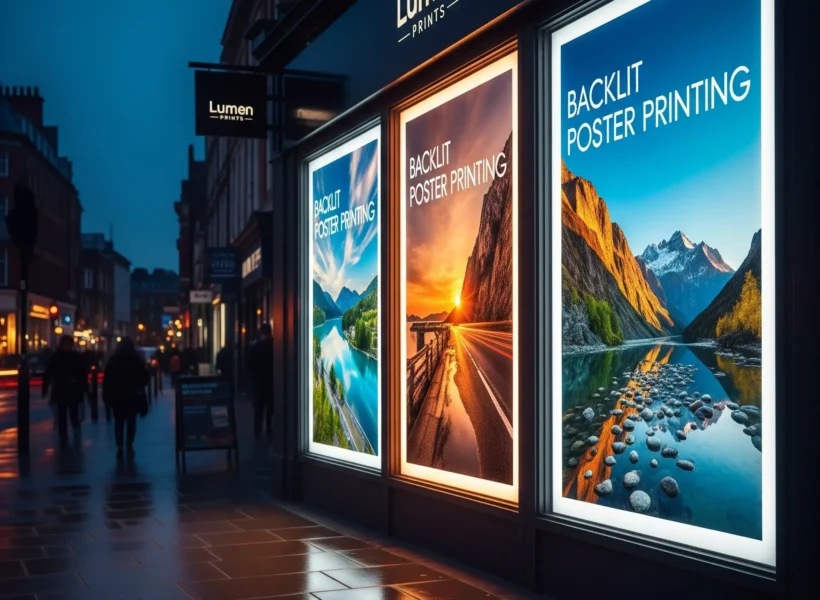
More About Posters
Large format posters are ideal for creating high-impact marketing displays. Their larger size allows graphics, text and branding to stand out clearly in busy environments such as retail spaces, exhibition stands and public venues.
We offer a variety of large format poster sizes including A4, A3, A2, A1 and A0 posters, as well as custom sizes for unique display requirements. Our large format printing process ensures strong colour reproduction and crisp detail, making your designs look professional and eye-catching.
• Perfect for impactful visuals in large spaces.
• High-resolution printing ensures sharp, detailed designs.
• Versatile for use as backdrops, advertisements, or artwork
SHOP FOR YOUR PERFECT POSTER
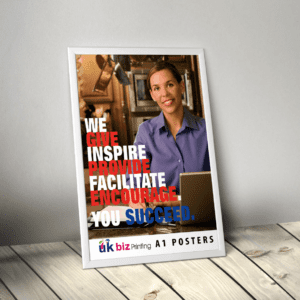


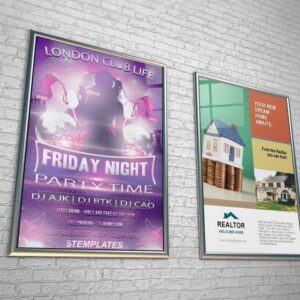
Backlit posters are specifically designed for use in lightboxes and illuminated displays. Printed on high-quality translucent polyester film, these posters allow light to pass through evenly, producing bright colours and strong contrast.
Backlit posters are commonly used in retail displays, exhibitions, cinemas, restaurants and shopping centres where illuminated advertising helps attract attention
Stunning visuals even in low-light settings.
• Compatible with lightboxes for professional displays.
• High contrast and image quality with even light distribution.
Poster Materials
We offer several material options depending on where your posters will be used.
Standard posters are printed on premium FSC-certified silk or uncoated paper, providing excellent colour reproduction for indoor displays.
Waterproof posters are produced using 220 micron or 400 micron PVC paper, offering strong durability and weather resistance.
Backlit posters are printed on 205 micron translucent polyester film, designed for high-quality lightbox displays with vivid colours and even light diffusion.
Waterproof posters are designed for durability and outdoor use. Printed on strong PVC-based materials, these posters can withstand moisture and weather conditions while maintaining vibrant colours and sharp images.
They are ideal for outdoor advertising, event signage, construction sites and promotional displays where standard paper posters may not be suitable.
Weatherproof and durable for outdoor use.
• Tear-resistant material for longer-lasting displays.
• Easy wipe clean surface for all business settings
Advisory: While these posters are fully weather-resistant, we advise against placing them in direct, intense sunlight during extreme heat. Prolonged exposure to high temperatures (particularly in south-facing windows) can cause the PVC to soften or warp. For maximum longevity, aim for shaded outdoor areas or temperature-controlled environments.
Easy Display and Installation
Displaying your posters is simple. Standard and large format posters can be used with poster frames, clips or adhesive strips for a clean and secure presentation.
Backlit posters are designed to fit directly into lightboxes and illuminated display systems, making installation quick and straightforward.
Bleed & Safe Zones
To avoid white slivers at the edges or text getting chopped you should add a 3mm bleed to each side of your design.
Bleed (The “Over-Print” Area)
Requirement: 3mm on all sides.
Purpose: The printer prints on slightly larger paper and then trims it down. If your background colour doesn’t extend into the bleed, any slight shift in the cutting blade will leave a distracting white line at the edge.
Total Canvas Size for A1: 600 x 847 mm (Finished size 594 x 841
Safe Zone (The “Inner Margin”)
Requirement: 5mm to 10mm from the trim line.
Purpose: Keep all text, logos, and critical info inside this zone.
Why: Many large-format frames (like Snap Frames) have an “overlap” of 5-8mm that covers the edge of the poster. If your text is too close to the edge, the frame will hide it.
Poster Sizes
We offer a wide range of standard poster sizes including:
A4 – 210 × 297 mm
A3 – 297 × 420 mm
A2 – 420 × 594 mm
A1 – 594 × 841 mm
A0 – 841 × 1189 mm
40 x 30 inches
60 x 40 inches
Environment and Sustainability
We are committed to responsible printing practices. Our paper posters are produced using FSC-certified materials sourced from responsibly managed forests. These paper posters are fully recyclable.
Some specialist materials such as waterproof PVC or polyester backlit film may require specific recycling processes. Please check with your local recycling facility for guidance.
Choosing the Right Paper
Silk and Uncoated Stocks:
Suitable for indoor use only unless placed in a waterproof frame.
Waterproof:
Suitable for indoor and outdoor use.
Backlit Posters:
Suitable for indoor and outdoor use.
Indoor Use
For offices, shops, or trade shows, stick to Silk or Photo Satin paper.
Pro Tip: If your poster will be placed behind a window or glass frame, avoid high-gloss finishes. The reflection from the glass combined with glossy paper often makes the text unreadable from certain angles.
Outdoor Use
Standard paper will pulperize in the UK rain. For anything outside, you need Waterproof PVC or Tear-Resistant Polypropylene.
UV Resistance: Ensure your printer uses UV-stable inks. Standard inks fade under direct sunlight within weeks; UV inks are designed to withstand the sun’s rays for months without losing vibrancy.
Sustainability
Silk and Uncoated:
Our silk and uncoated posters are printed on high-quality, FSC-certified paper and are fully recyclable.
Waterproof:
Check with your local recycling facility to fi nd out if they accept
waterproof laminated paper and if there are any special handling requirements.
Backlit:
Check with your local recycling facility to fi nd out if they accept
polyester backlit fi lm and if there are any special handling
requirements.

Pre-Press Checklist
Verify the Dimensions
Ensure your canvas matches the physical size of the order (A2, A1, or A0). Never design an A4 flyer and ask the printer to “stretch it” to A0—the proportions and resolution will break.
Confirm CMYK Colour Mode
Screens display in RGB, but printers use CMYK. If you submit RGB, your vibrant blues may turn dull and muddy. Check your document settings in Illustrator, InDesign, or Photoshop.
Check Image Resolution (DPI)
At 100% scale, your images should be at least 150 DPI, ideally 300 DPI. If you are unsure, zoom into your PDF to 100%—if it looks “blocky” on your screen, it will look worse in print.
Embed or Outline All Fonts
If the printer doesn’t have your specific font installed, their system will swap it for a generic one (like Arial or Courier), ruining your branding. In Illustrator, select text and use Cmd/Ctrl + Shift + O to Create Outlines.
Set 3mm Bleed on All Edges
Your background color or image must extend 3mm beyond the final “Trim Line.” This accounts for tiny mechanical shifts during the cutting process.
Respect the Safe Zone
Keep all critical text and logos at least 5mm–10mm away from the edge. This prevents content from being cut off or obscured by the lip of a frame.
Verify "Rich Black" Settings
For solid black backgrounds, use a four-color mix like C:40 M:30 Y:30 K:100. Using only 100% Black (K) often results in a “washed-out” dark gray on large format materials.
Flatten Transparencies
Complex drop shadows, glows, or overlapping transparent layers can sometimes “glitch” during the RIP (Raster Image Processor) stage. Exporting as a PDF/X-1a or flattening layers can prevent strange boxes appearing around images..
Check Your Overprint Settings
Ensure you haven’t accidentally set white text to “Overprint.” If you do, it will disappear entirely in the final print because the printer thinks it shouldn’t “knock out” the color behind it.
Final Spell Check (Read it Backwards)
Large format means large mistakes. Read your headlines from right-to-left—it forces your brain to focus on the individual letters rather than skimming the word.